
Your team's schedule, ready in minutes.
Create shifts in a few taps and publish when everything is ready: everyone is notified on their phone and sees their hours, place and colleagues.
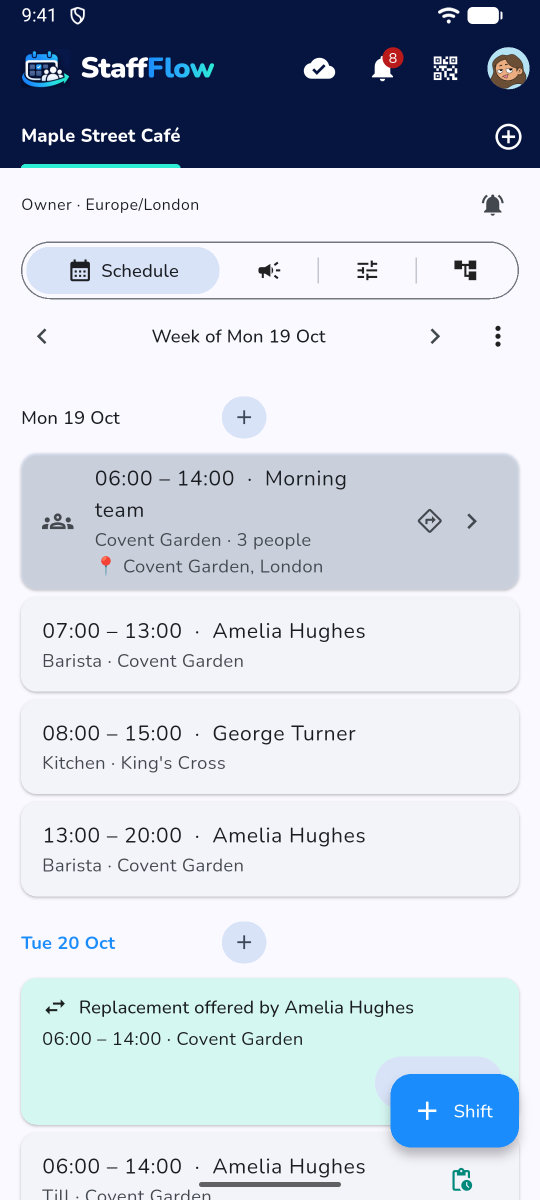
Shifts in a few taps
Presets such as "Morning", "Evening", "Night" set by managers, repeat every day or week, or a whole period "from … to …" at once.
- Week or month view, your hours for the period
- Draft until published, then everyone is notified
- A "!" flags an absence, a double shift or an overrun
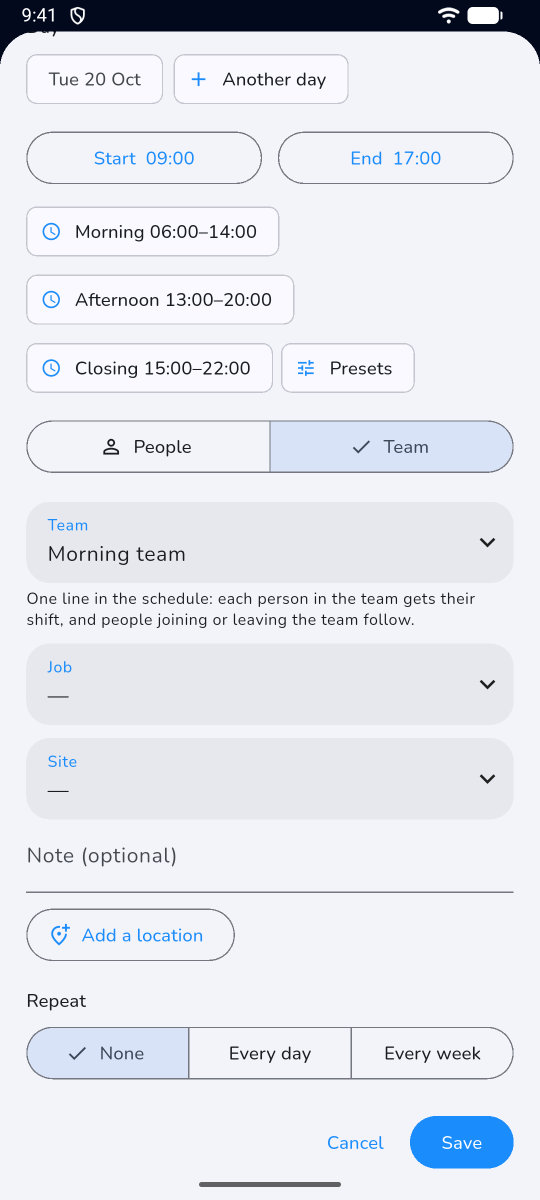
Schedule a whole team
Choose "Team" instead of "People": every member gets the shift, and the schedule shows a single line, even for 300 people.
- A newcomer gets the upcoming shifts
- Someone leaving loses their upcoming shifts
- Several teams per person
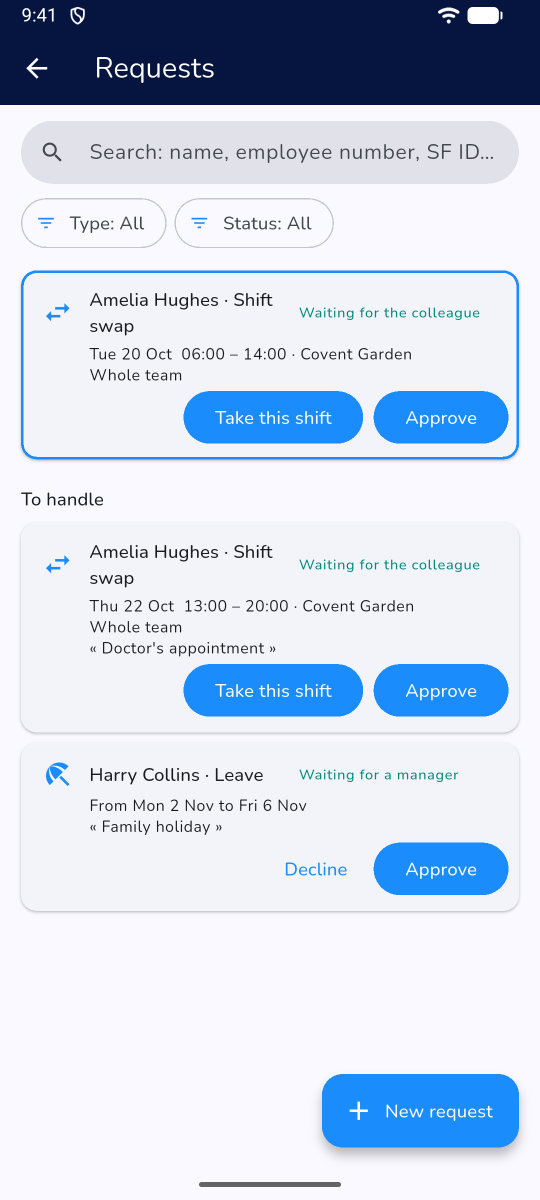
Swaps and leave
An employee can't make it: they offer the shift to a colleague or the whole site team, who see it right in their schedule. Leave and unavailability are requested in the app.
- Only offered to someone of the same rank or below
- The manager approves, the schedule updates
- Overlaps and absences flagged before approval
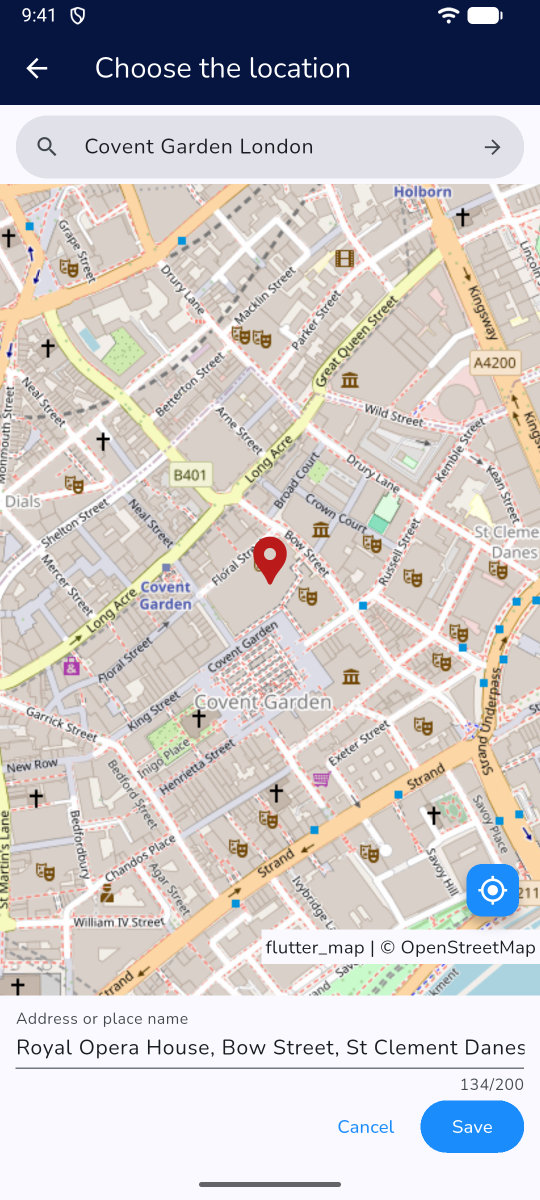
The place on the map
Site, delivery, client visit: put the shift location on a built-in map.
- Address search, GPS position or tap
- The address shows on the shift card
- "Directions" button to Google Maps
Coverage slots
Set the minimum number of people per time slot, per site or role: the schedule flags understaffed slots, never blocking anything.
- "Opening, 8 am – 12 pm, at least 2 people"
- Per site and role, or for all
- An alert, never a block
Print, export, share
Share the schedule the way you need: on paper, as a file or in everyone's calendar.
- Print and PDF of the week or month
- Excel or CSV export with hour totals
- Shifts added to the phone calendar, optional
Other features
Your next schedule in 5 minutes
Try Staff Flow free for 2 days, with every feature, no card needed.