
Your team's schedule, finally simple.
Build shifts in a few taps, publish them, and everyone gets them on their phone. Shift swaps, leave and messages — all in one place.
- 2-day full trial
- Free for employees
- Readable even without signal
Everything you need, nothing complicated
Made for cafés, restaurants, bakeries, shops and every team that works in shifts.
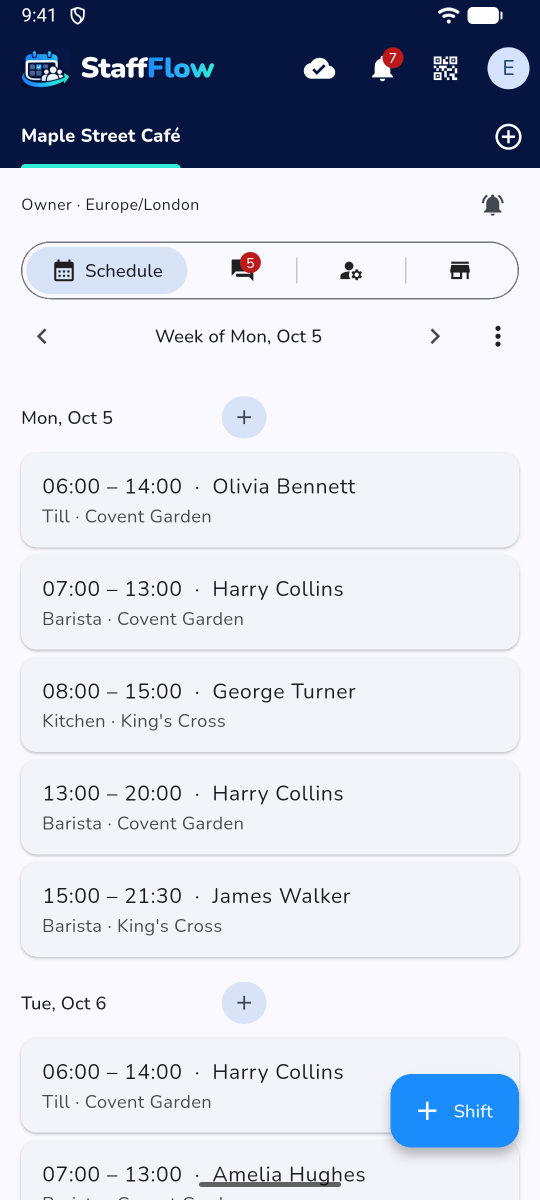
A schedule in seconds
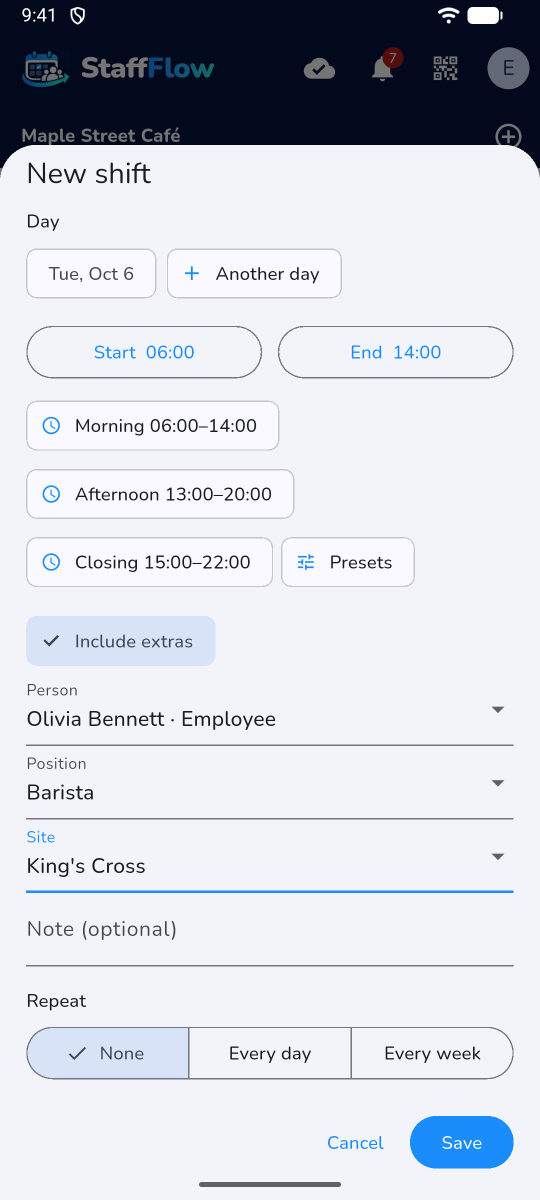
“Morning” and “Evening” presets, daily or weekly repeats, draft then publish in one tap.
Swaps and leave
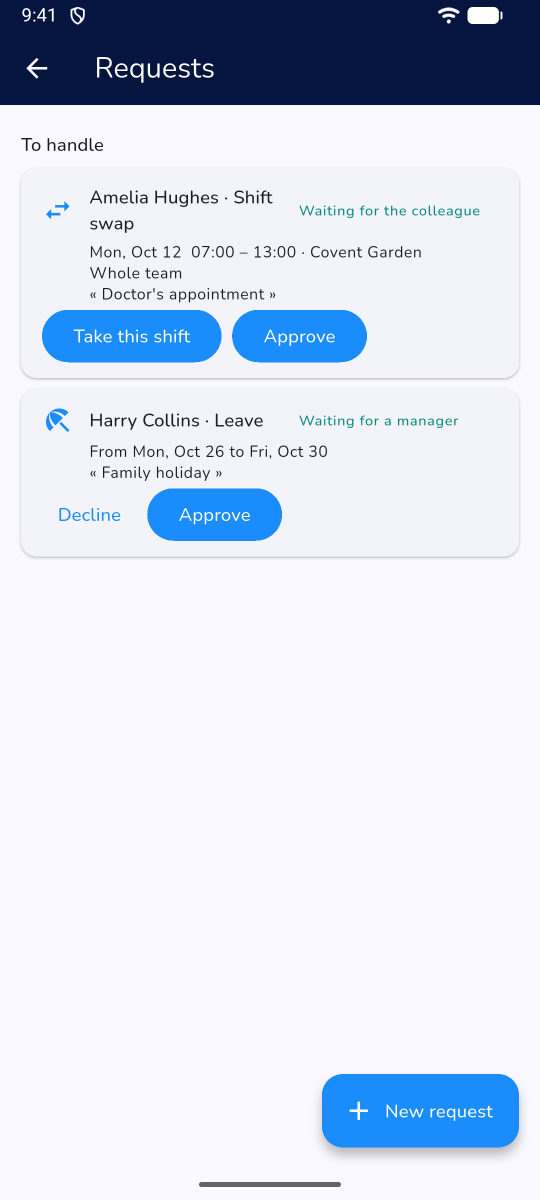
An employee offers a shift to a colleague, asks for leave or marks unavailability; you approve in one tap.
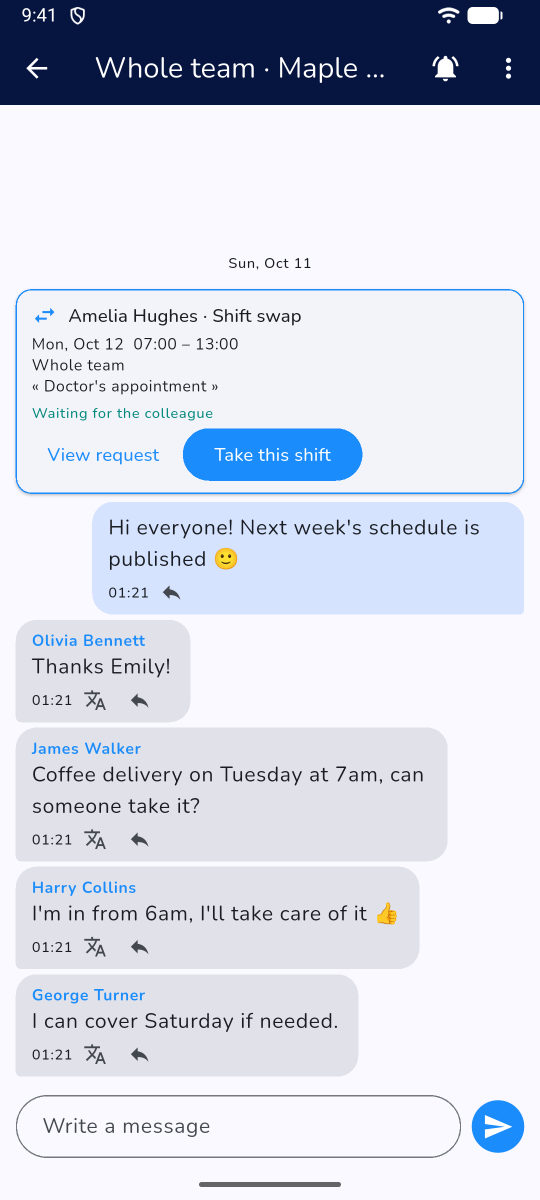
Team messaging
Company-wide group, team groups and private messages, with automatic translation.
Even without signal
Offline, the schedule stays on screen and you can keep planning or ask for leave: it is kept on the phone and sent to the team as soon as the network is back.
Several sites and companies
Nested sites, managers per site, and one tab per company for people who work in several places.
37 languages
Everyone uses the app in their own language: English, Ukrainian, French, Spanish, Polish…
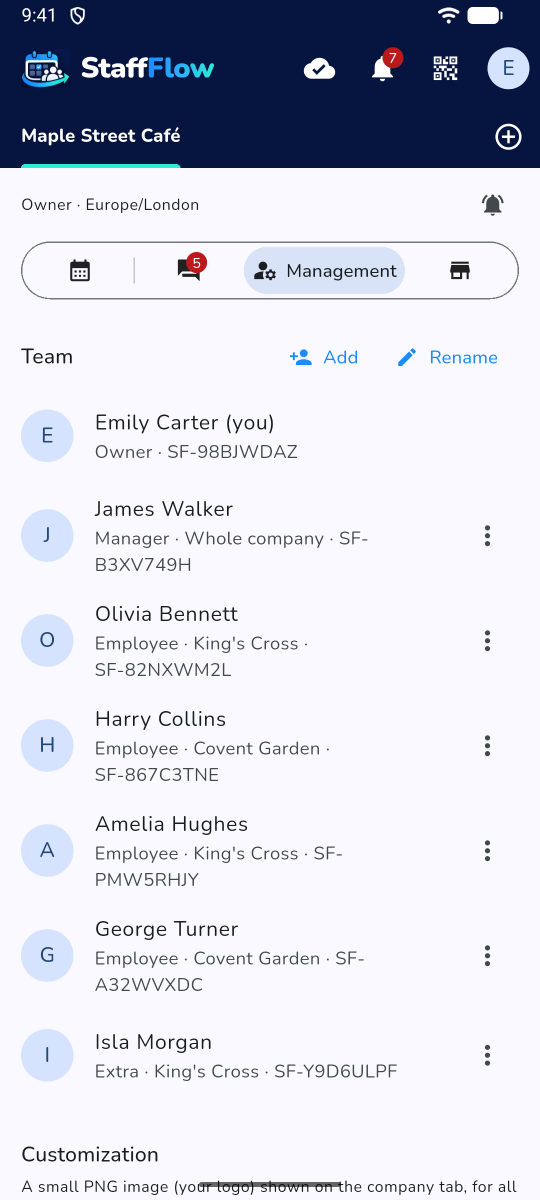
A look at the app
Real screenshots, just as you will see them on your phone.
Ready in three steps
Create your company
Sign in with your Google account and name your company. That's it.
Add your team
Each employee shows you their QR code: you scan it, they accept. No email, no password.
Publish the schedule
Create the shifts and publish: everyone is notified on their phone and can add them to their calendar.
A tiny price
Only the company owner pays. Employees use the app for free.
Company owner
- Up to 10 employees and 1 temp
- + pricing per block of 10 employees
- Every feature included
- 2-day full trial
Employees and temps
- Schedule, swaps, leave, messages
- On Android and in the browser
- Small ad banner on Android, removable
Prices include VAT, in euros. Online payment is coming soon.
Frequently asked questions
Do I need an iPhone or an Android?
There is an Android app. On iPhone, computer or tablet, everything works in the browser, with nothing to install.
Do my employees pay?
No. Only the company owner has a subscription. Employees, managers and temps use the app for free.
How do people sign in?
With a Google account, no new password. One account for all your companies.
What if the phone has no signal?
The schedule you already received stays on screen. The owner can keep planning and an employee can ask for leave: it is kept in the phone's memory and sent as soon as the connection is back. Others see those changes only then.
Is my data protected?
Connections are encrypted (HTTPS), and so are backups. Your schedules and messages are never sold or used for advertising.
Can I manage several companies?
Yes: one tab per company. Someone who works for two companies sees all their schedules in one place.
Your next schedule in 5 minutes
Try it free for 2 days, no commitment.
Coming soon to Google Play